Most guides about CoverMyMeds are written for hospital staff: how to log in, how to fill out a form, how to check request status. This is not that guide.
This is for engineering teams building health tech products that submit prior authorizations programmatically — teams at specialty pharma platforms, clinical workflow tools, and prior auth automation startups who need to automate CoverMyMeds at scale. If you're trying to figure out how to handle CoverMyMeds' dynamic clinical question forms, manage sessions reliably, and get results back in a way that fits your product's architecture, this is where to start.
How CoverMyMeds Works (and Why It Resists Automation)
CoverMyMeds is the largest electronic prior authorization platform in the US, connecting providers, pharmacies, and payers for drug-based PA submissions. For health tech companies, it sits on the critical path between a clinician's prescription and a patient actually receiving medication, especially for specialty drugs in the $30,000 to $100,000 range where a denied PA means weeks of treatment delay.
CoverMyMeds does offer an API for some workflows. The catch: not all payers are connected via API, and the API does not expose the full form-filling workflow that web portal submissions go through. For drug codes, patient conditions, and payer combinations that fall outside the API's coverage, you end up on the web portal, which means browser automation.
The CoverMyMeds portal is not a static form. It's a dynamic interface that generates different clinical questions depending on the drug code, the payer, and the patient's clinical history. Select a different drug on the same payer, and you may see a completely different set of form fields. Answer a clinical question a certain way, and the form branches to show additional questions that were not visible before.
This is by design. Payers configure their prior auth criteria through CoverMyMeds, and those criteria change. New questions get added to specific drug codes. Conditional branching logic gets updated when payer policy changes. What worked last quarter may not work this quarter.
Authentication and Session Management
CoverMyMeds requires an authenticated session to submit PA requests. For health tech companies, this creates an immediate architectural question: whose credentials authenticate the session?
The three patterns in production:
Provider-owned credentials — the health tech platform holds the provider's CoverMyMeds login. Straightforward to implement, but raises PHI handling questions and requires a BAA. Works well when the platform is acting as an agent for the provider.
Customer-controlled browser — the provider authenticates themselves via an embedded browser or extension that the platform controls. No credential storage, but more complex to orchestrate at scale.
Shared practice account — a single CoverMyMeds account used across multiple staff members. Simpler operationally, but creates concurrency constraints. CoverMyMeds sessions time out after 50 minutes, and concurrent sessions on the same account can conflict.
Session persistence matters throughout. A prior auth submission can involve 20 to 40 form interactions. If the session expires mid-submission, you lose the state. Build retry logic with session re-authentication, not just request-level retries.
Form Discovery and Field Mapping
The first challenge with any CoverMyMeds submission is discovery: what fields are present, what types they are, and what valid options each dropdown contains.
Static field mapping — a hardcoded schema that says "field A is a text input, field B is a dropdown with options X, Y, Z" — works until the portal changes. CoverMyMeds updates its form schemas when payer criteria change, which happens without notice. One specialty pharma team described maintaining static field maps across 100+ payer portals as their core engineering burden: not building the automation, but keeping the mappings current.
A more durable approach is monitoring the network and request traffic the portal generates rather than scraping the DOM. The underlying API calls and form submission payloads reveal what data the payer actually requires, independent of how the frontend renders it. When CoverMyMeds updates its UI, the network contract changes far less frequently than the visible elements, which makes automations built on request traffic significantly more resilient.
For dropdown elements this matters especially. Clinical question dropdowns on CoverMyMeds can contain hundreds of options. Selecting the wrong one does not just fill the wrong field. It can branch the form into a different clinical pathway, leading to a first-pass denial that triggers a 90-day appeals process.
Handling Dynamic Clinical Questions
This is where most CoverMyMeds automations break.
After you fill standard demographic and drug fields, the portal generates clinical questions specific to the payer's criteria for that drug. These questions ask about diagnosis codes, prior treatment history, lab values, and clinical criteria. They are not predictable from the drug code alone. They depend on payer policy, and they change.
The challenge is not just that the questions vary. It is that they branch. Answer "yes" to "Has the patient tried formulary alternatives?" and the form surfaces a follow-up asking which alternatives were tried and for how long. The branching depth can be several levels deep, and different paths lead to different form states.
Two approaches handle this in production. LLM-assisted question answering extracts each question and its options, calls a clinical decision engine with the patient's record, and uses the response to fill the answer. This works well when the clinical data is structured and the mapping is clear. It breaks when the record does not contain what the question is asking for.
Human-in-the-loop for clinical questions automates all deterministic fields and pauses for a human reviewer on clinical questions. This is the current state for many PA automation teams. First-pass denials trigger a 90-day appeals process. The value of human review is catching the cases where the automated answer would be wrong before submission, not after.
The practical threshold: if your clinical data is structured and your question-answer mappings are validated across enough real submissions to have confidence in them, automate. If not, human-in-the-loop for the clinical question section is the right call until you have built that confidence.
Common Failure Modes
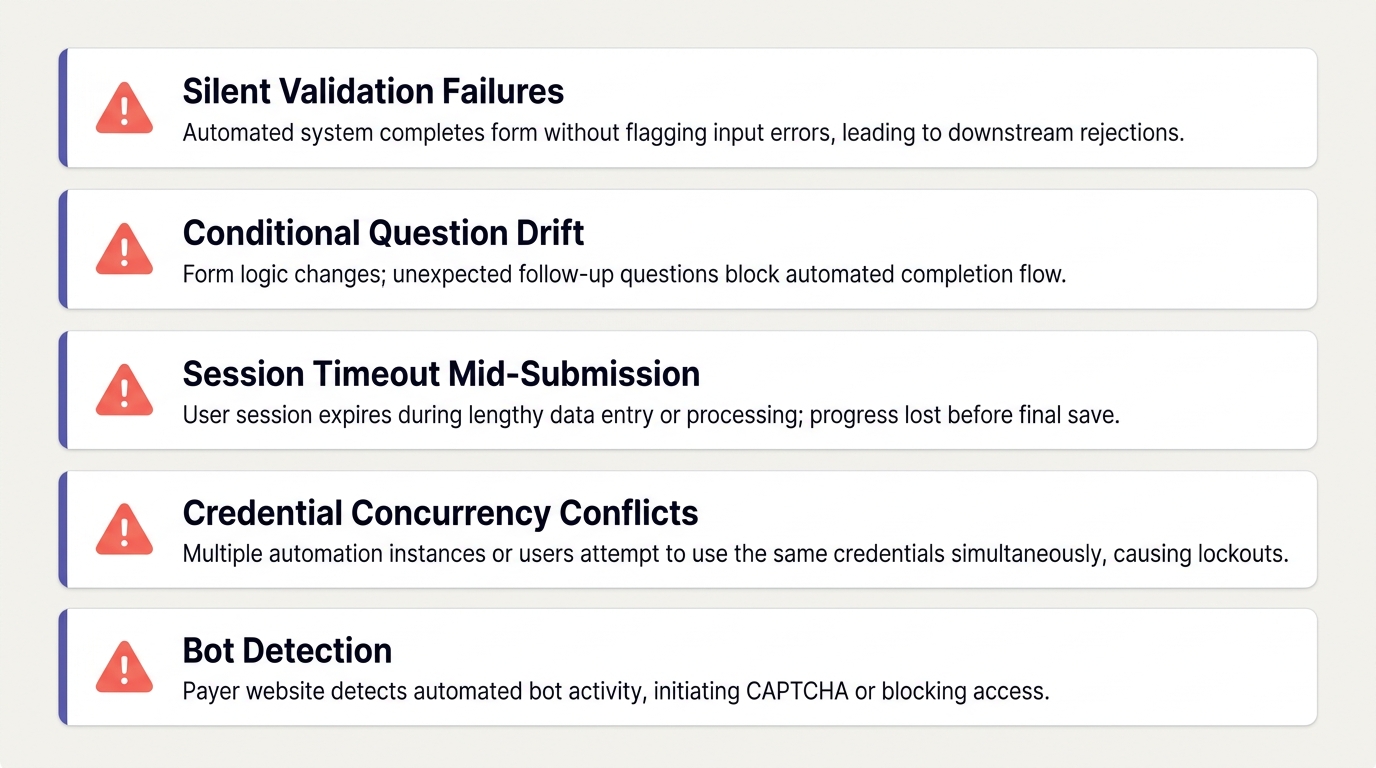
Silent form validation failures. The portal accepts a submission and shows a confirmation screen, but the underlying request was rejected due to a validation error. Downstream, the determination never arrives. Build explicit status polling in addition to whatever async result handling you have.
Conditional question drift. A payer updates their clinical criteria for a drug code. Your branching logic, which was correct last week, now takes the wrong path and populates a field that no longer exists. The submission fails silently or generates a wrong answer. Detect this by validating that your expected form state matches the live network contract before submitting.
Session timeout mid-submission. Long PA forms can exceed session duration when the automation pauses for clinical question answering or encounters a slow server response. Implement session heartbeat checks and re-authentication before the timeout window closes.
Credential concurrency conflicts. Multiple automations running against the same CoverMyMeds account simultaneously can interfere with each other. Implement a credential pool with locking, or use per-provider credentials with isolated sessions.
Bot detection. CoverMyMeds, like most payer portals, detects automated sessions. Headless browsers with default configurations get flagged. Interaction timing, request headers, and browser fingerprint all need to look human. This is not a one-time configuration. It requires ongoing maintenance as detection systems update.
Putting It Together
A reliable CoverMyMeds automation in production has three layers: a network-level integration that maps what the payer actually requires, deterministic execution logic that fills the form from structured patient data without any model reasoning live on the page, and a monitoring layer that validates each submission's form state matches your expected contract before it goes through.
The teams that ship this successfully treat the portal interaction as infrastructure, not product. The clinical logic, the question-answer mappings, the business rules around what to do with a denial — that is where product differentiation lives. The browser session, the request interception, the bot detection handling — that is the part that looks the same for every team automating CoverMyMeds.
If you want to run CoverMyMeds submissions without building the portal layer yourself, Simplex handles the browser automation, network monitoring, and portal maintenance. Pass in patient and provider data, get back structured submission results and a full session replay. You own the clinical logic.