
The scraping agent allows you to extract and format data from the page.

Using the scraper

To use the scraper, prompt the agent with the information you’d like to extract. For example, let’s scrape all the patient data for a patient in an EHR.
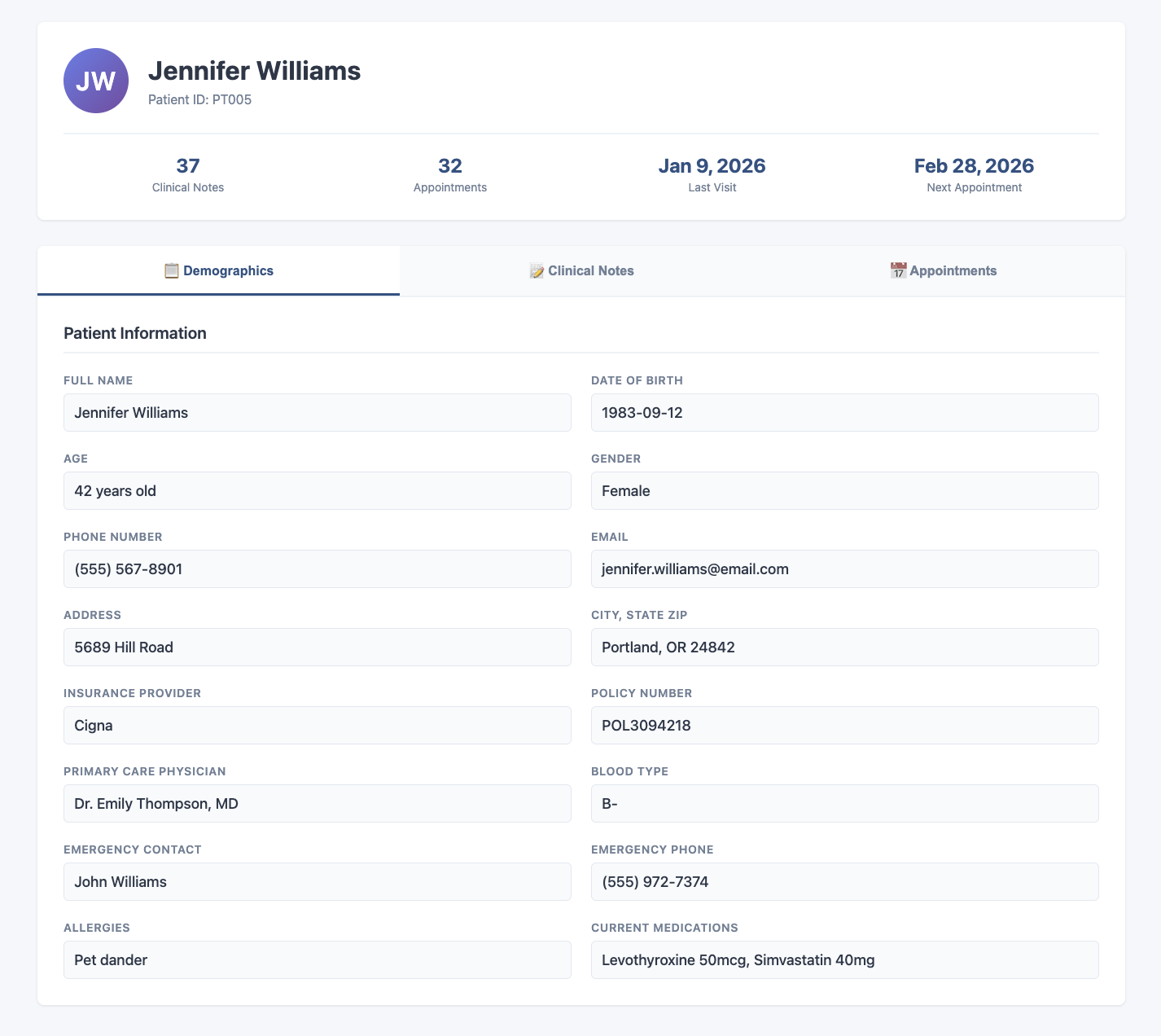
Scraping patient data from an EHR
We can use the following prompt in the workflow editor.
Example prompt
Scrape all the patient demographics information
The agent will write the scraped information to a file.
workspace/scraper_outputs/patient_information.json
{
  "fullName": "Jennifer Williams",
  "dateOfBirth": "1983-09-12",
  "age": "42 years old",
  "gender": "Female",
  "phoneNumber": "(555) 567-8901",
  "email": "[email protected]",
  "address": "7668 Washington Boulevard",
  "cityStateZip": "Seattle, WA 96105",
  "insuranceProvider": "Blue Cross Blue Shield",
  "policyNumber": "POL1163679",
  "primaryCarePhysician": "Dr. Emily Thompson, MD",
  "bloodType": "B-",
  "emergencyContactName": "John Williams",
  "emergencyContactPhone": "(555) 405-3336",
  "allergies": "None reported",
  "currentMedications": "Lisinopril 10mg, Losartan 50mg, Simvastatin 40mg, Metformin 500mg, Sertraline 50mg"
}

Format the output

You can prompt the agent with a schema if you need the data formatted. If we wanted the patient data to adhere to a typescript schema, we can prompt the agent like this:
Format data prompt
Scrape the patient demographic information on the page and organize it into 
this typescript interface.

interface PatientInfo {
  basicInfo: {
    fullName: string;
    dateOfBirth: string;
    age: number;
    gender: string;
    bloodType: string;
  };
  contact: {
    phoneNumber: string;
    email: string;
    address: string;
    city: string;
    state: string;
    zip: string;
  };
}